Serum Granular Exploration with Stride - Tutorial
24:26Watch on YouTube
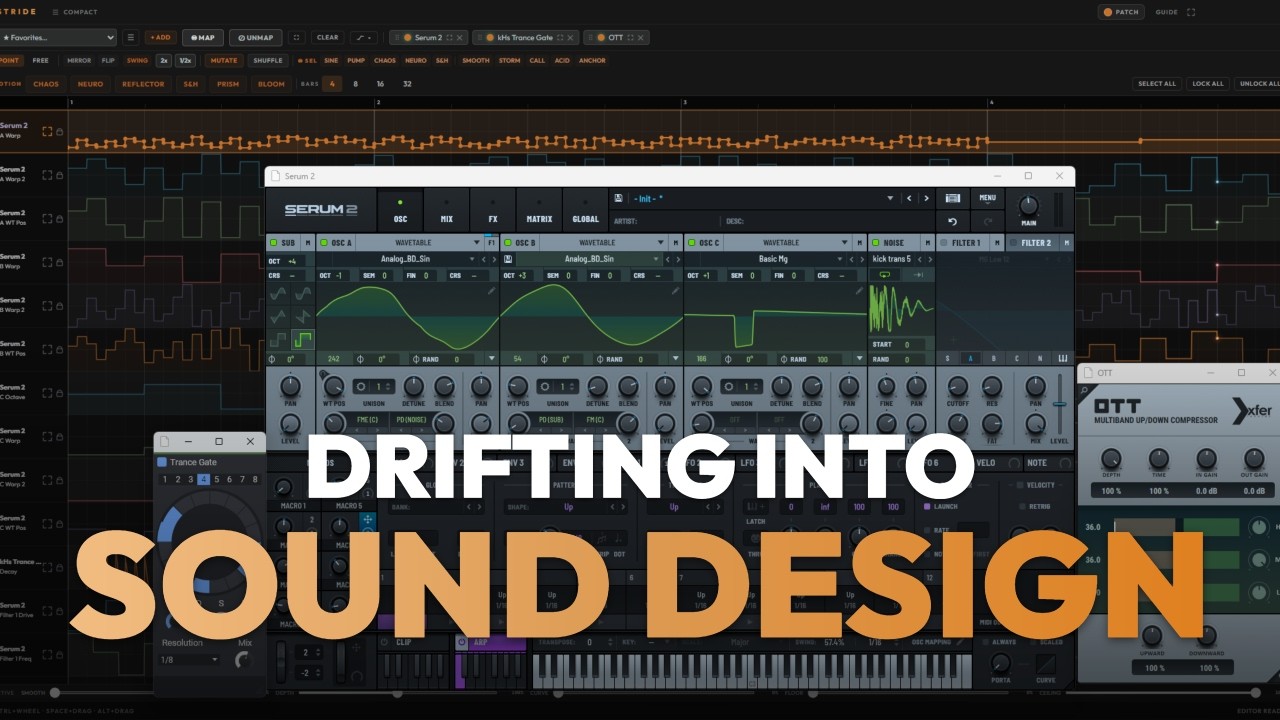
Experimental Sound Design Session with Serum's grain process. I could keep for days... more to come The loop in the beginning is all made out of these sources. less is more.
Transcript
946 wordsFrom the video's captions, lightly cleaned. Press a timestamp to play from there.
Hello guys and welcome to another tutorial. Today we going to explore granular synthesis with a lot of process upon it. The ones of you know I have a base project under the name Aquiver and a long time ago like 7 or 8 years ago, I created a full track out of a one sample of a water drop.
You can check it out. And mostly the process that I've done there like every signal and every sound in this track are made with a granular synthesis and effects. And today with Stride, it's like make makes me really excited like that the amount of manipulation and process you can do with granular synthesis. So yeah, we're going to dive into it today. I'm not doing any like if you want to sound like sound like this, then do these steps. Like mostly what I'm trying to deliver and teach you guys is like it's more of a self-exploration.
It's more of like generating a bunch of stuff and ideas and through the process like discover the things that you like, discover what you don't like, and from there from all these happy mistakes you can have your sound signature because it's something that attaches your it that catch your ear and from there you are fully inspired. So, basically I'm not I'm not about like do it do it like me. Like take the principles, take the notes and try to build your own workflows and setups. So, for today we're going to use Serum.
And what I'm going to do is I'm going to pick some setup. Sorry guys, I needed to cut this one. So, we're using Serum and we're going to dive into the granulator oscillators. And we're going to make Stride just manipulate the hell out of them and also keep some knobs for ourselves to play with the oscillators themselves.
And you going to see how through the process like we're going to have so many variations in minimum time. So, basically first really cool one is that you can see the MIDI clip plus the device chain together if these two arrows are on which is really nice and useful. Okay, so let's start. Also now you can have Stride on audio tracks as well. But for now let's let's just pick one of the presets, something with maybe a lot of process on it. And I'm going to pick two granulators.
And if you didn't know, like you can drag the oscillator right here and you get the same exactly the same oscillator. You press Alt and you drag it. Okay, so let's start mapping all the all the parameters. Actually, I don't want the pitch to be automated at all because I want to keep it kind of coherent. But I do want the rest of them. Also, I want these macros to be modulated.
And now whenever we change the preset, if you want to change it, already all the setup is already mapped. So, we can inject another bunch of automations like real quick. Let's just start with the experiment. So, let's Let's inject. And now I want Sorry, guys. Okay, now I injected a bunch of automations and I'm going to make sure that the MIDI is playing all the way and that we are looped and I'm going to duplicate this MIDI clip so I can real quick just shuffle all of them and have the same curves.
And have the same curves just shuffled with another variation to the other MIDI clip. Injecting this one as well. And I think the other one needs another Yeah, so basically this is it. And now we're going to just play it and record the stuff that we like. Let's get going. I'm going to disable the automation of the pitch and let's just you know get I don't know two knobs for the octaves just so it's playful. Let's make sure the levels are all the way and yeah, let's record it.
Let's play. I'm going to change the preset as we go because Also really important stuff for in order to make all the knobs move properly, you need to put it on manual. Now I can just switch to the other maybe. And now in order to make all the automations just play again, you hit this arrow and you have it.
New patch, new effects. I love it. Let's inject some new curves while it's playing. You can do that. Now it will change all the automations live while you're playing. As you can see now it's different movement. I want to copy this one. We're recording all the way, yeah? Let's
Because of the preset, what's happened here? Let's get something with a lot of with a lot of macros already. Oh, Let's grab this granular and drop it here. And I don't know. Let's pick some percussion loops. Let's put all the automations on. Sorry. And let's play it again. Let's reduce the ambience. Let's get some wavetables. I love it. Let's go back to the previous one. It's not too terrible. See what I'm doing? I'm just moving between the presets. And every time I'm dropping the granulars so I can pull them quick.
Really enough ambience. I'm I'm always switching between the automation describe. Okay, I think we have enough outputs and audio so I can play with it. I probably I'm going to make a pretty cool loop out of it. Yeah, this is the concept just keep exploring. There is a lot of different stuff you can do. So yeah, till the next time.
More sessions


Somewhere in your setup
is a sound you haven't met.
24 hours, fully unlocked, on your own tracks. Then one purchase: $99.